Start the day
Review the driver record and certify the previous log when required.
 BASIC TRUCKINGLicense • Enforcement • Logbook
The Basic Trucking Logbook organizes the driver’s day into one connected operating record: duty status, trip readiness, HOS, pre-trip/DVIR, DOT checks, credentials, current load, and job history.
The Logbook is the operational side of the Basic Trucking Driver System. It follows what the driver is doing, what must be completed before the trip, and what DOT/compliance items need attention.
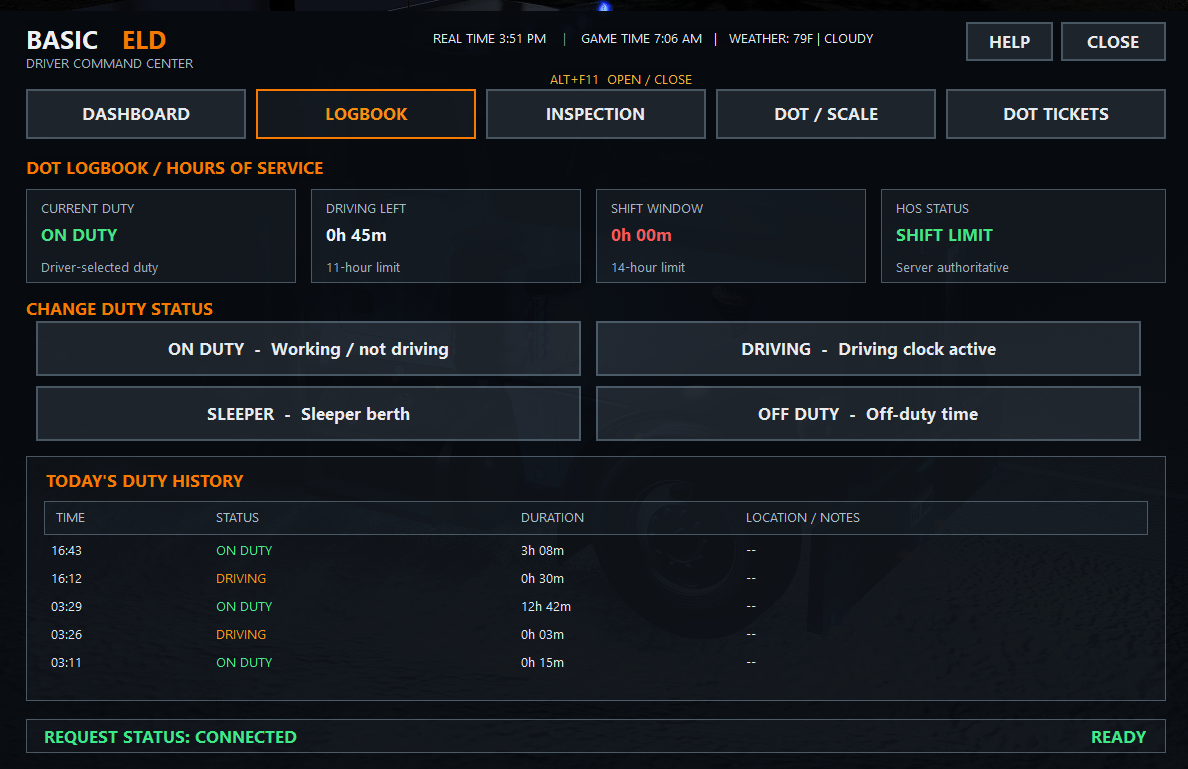
The system is designed to feel like a real operating routine without making the driver manage separate disconnected pages.
Review the driver record and certify the previous log when required.
Complete the pre-trip/DVIR checklist and record vehicle defects before departure.
License, active fines, and required readiness checks are tied together before the trip.
Duty status and the current load/job record follow the driver while the trip is active.
Supported weigh/inspection events can automatically run DOT and compliance checks.
Job history, logbook state, and post-trip information remain attached to the driver record.
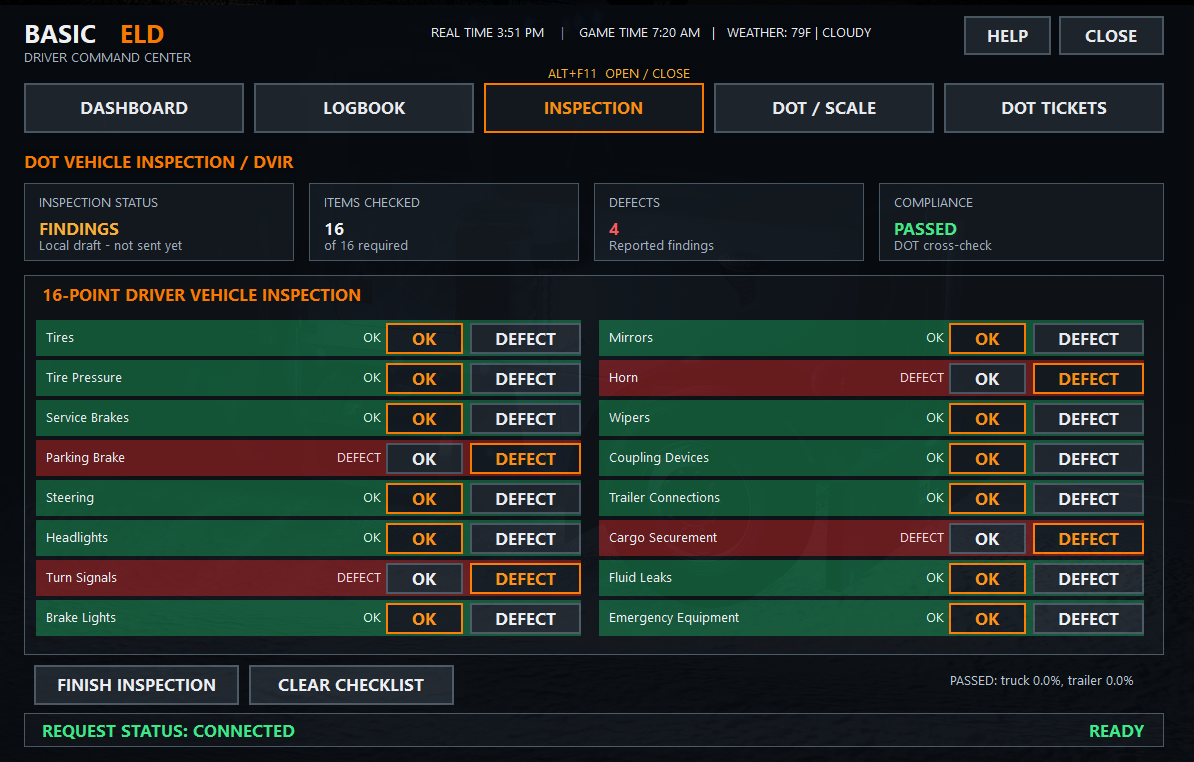
The real Inspection tab lets the driver run the 16-point DVIR checklist, mark OK or DEFECT on each item, and finish or clear the inspection. That makes inspection results part of the same daily operating routine instead of a separate disconnected system.
The system models an 11-hour driving limit, a 14-hour shift window, a break requirement after 8 hours of driving, and a 70-hour cycle.
The driver completes a vehicle inspection checklist. Defects remain in the maintenance record and can become findings during DOT inspection logic.
DOT check-in ties license and fine checks into trip readiness so the driver has one clear preparation flow.
At supported weigh events the system can automatically select an inspection and scan vehicle condition, DVIR, HOS/logbook state, credentials, and citations.
The driver operations record can maintain medical-card and drug-screen status alongside the rest of the DOT record.
Policy status, claims, incidents, balances, and risk rating stay connected to the same driver record used by License, DOT, and Enforcement.
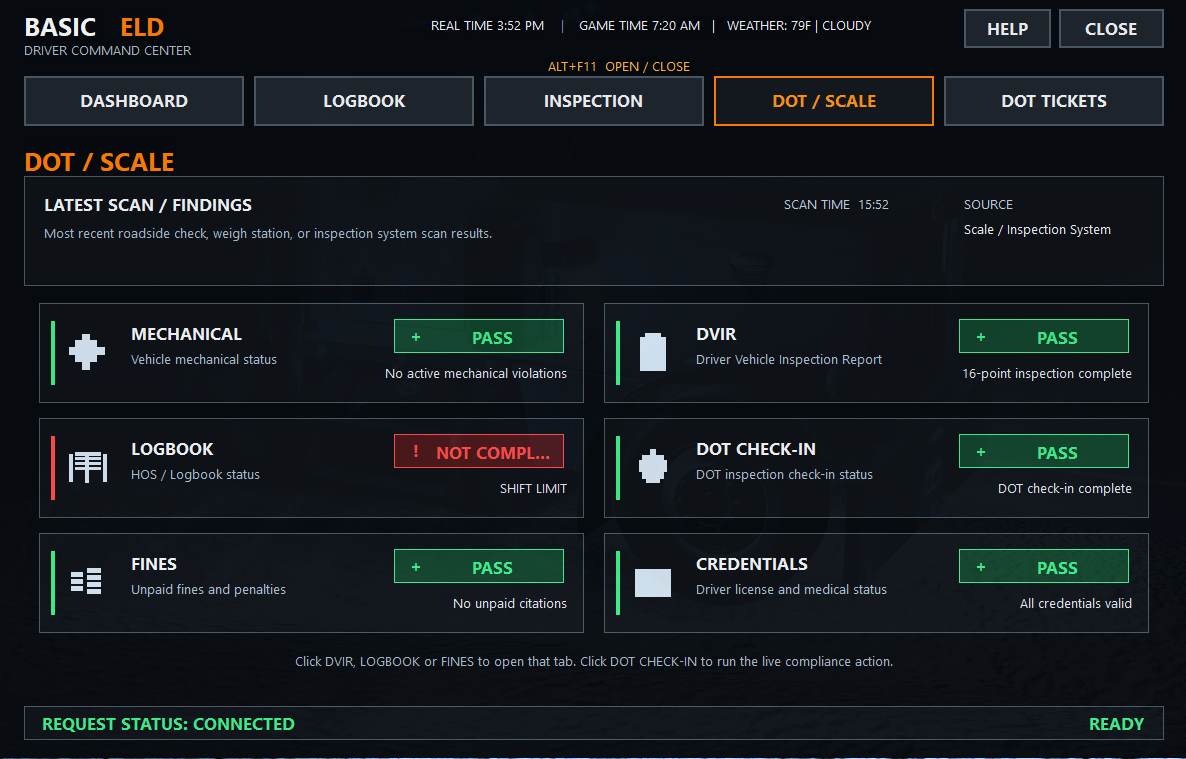
The real DOT / Scale tab shows the latest scan and breaks findings into Mechanical, DVIR, Logbook, DOT Check-In, Fines, and Credentials. Expired credentials, vehicle defects, HOS issues, active citations, and insurance problems can all become findings. Serious configured findings can place the driver Out of Service until the condition is cleared.
The driver does not need separate accounts or separate records for each system. The same Basic Trucking driver identity carries the record across the three servers.