CAN'T SEE A MODDED SERVER?
TURN ON BOTH MOD FILTERS.
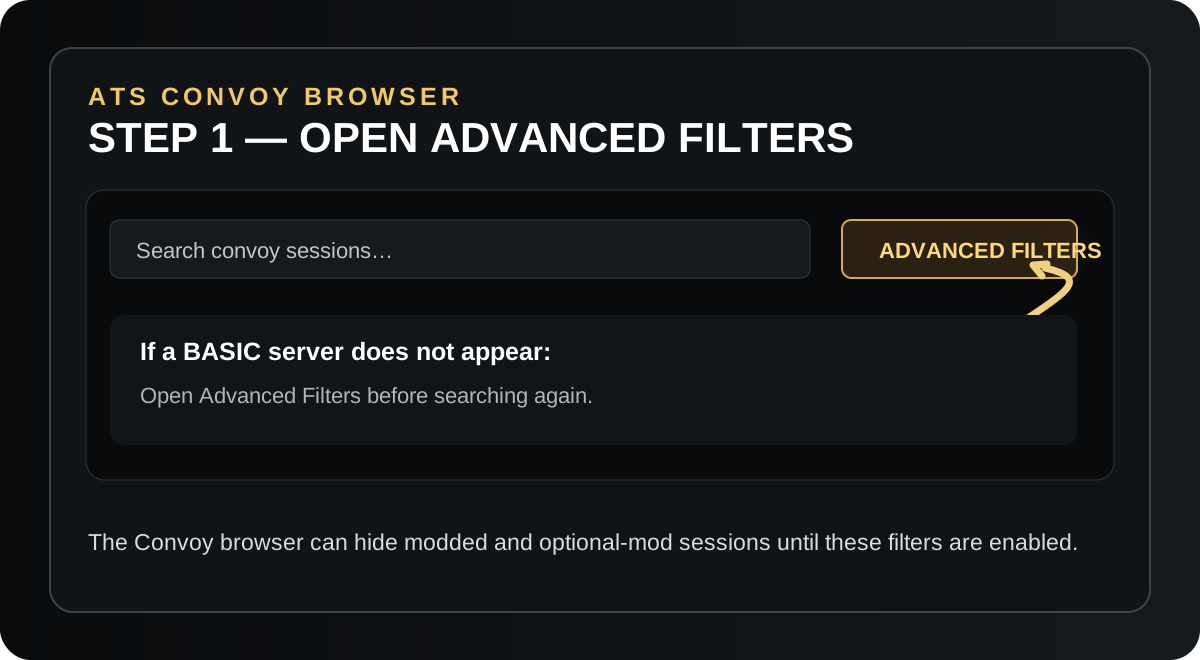
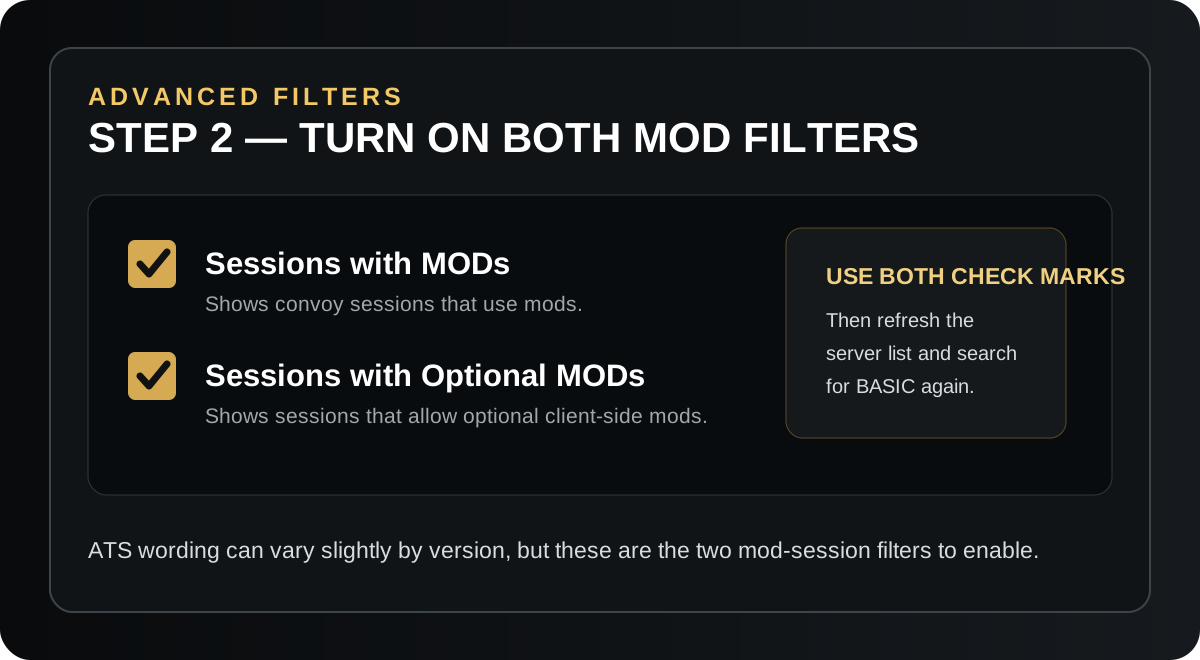
ATS can hide modded and optional-mod sessions. Open Advanced Filters and enable both options below.
Install telemetry if you want your driving record on the Driver Board. Then open ATS, find a BASIC server, and drive.
You do not need the DLL to join a server. Your name can still get a Driver Board profile from the dedicated-server roster without the DLL. Install telemetry if you want mileage, jobs, cargo, routes, revenue, speed, trip maps and other ATS statistics recorded on that profile.
Your name can appear in the live server roster and on the Driver Board with NO TELEMETRY. The profile remains at zero/blank telemetry statistics until the DLL is installed.
Your ATS driving record is tracked automatically while you play. The plugin runs silently in the background.
One telemetry plugin. No installer, BAT file, PowerShell window or separate program to run.
Skip this section if you only want to join the server without Driver Board statistics.
Download the BASIC ATS driver package and open the ZIP.
Place it in American Truck Simulator\bin\win_x64\plugins. Create the plugins folder if it does not exist.
That is it. The DLL runs silently whenever American Truck Simulator is open.
Open the ATS Convoy / dedicated-server browser, search for BASIC, and join the server you want.
From American Truck Simulator, open the multiplayer / Convoy server browser.
Choose one of the BASIC dedicated servers shown in the list.
Telemetry is optional for connecting. If installed, your Driver Board record updates automatically.
ATS can hide modded and optional-mod sessions. Open Advanced Filters and enable both options below.
The dedicated server log tells BASIC ATS who is connected. A player without the DLL can still appear in the live server list as NO TELEMETRY. The server roster creates the basic Driver Board record. Installing telemetry adds the detailed ATS statistics to that same record.